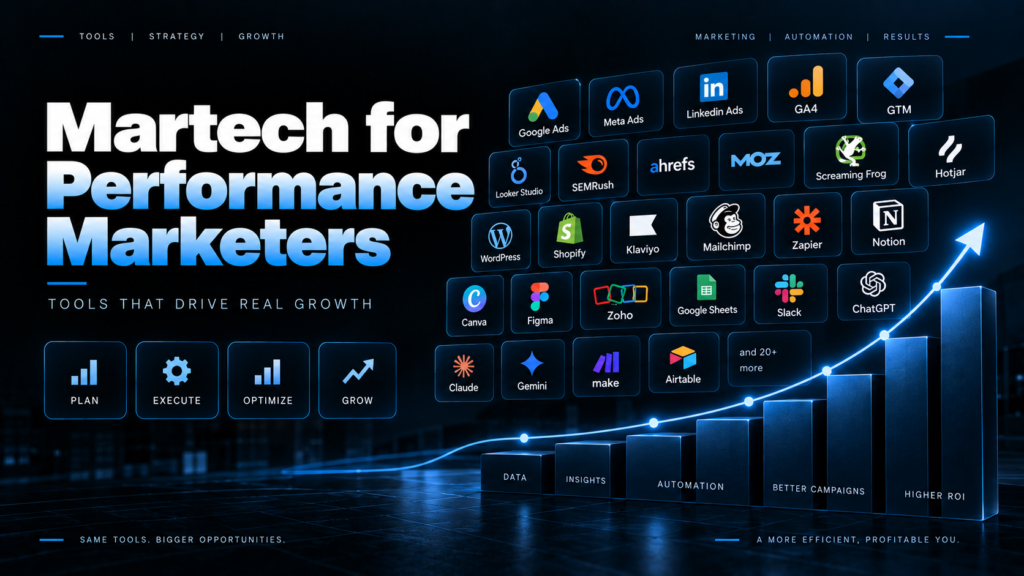
Quick answer Performance marketing tools are the software paid media marketers use to launch ads, track conversions, analyze results and improve return on ad spend. A working martech stack in 2026 covers seven jobs: running ads, tracking (GTM, pixels, server-side), analytics (GA4), behavior analytics (Microsoft Clarity), research (Keyword Planner, Meta Ad Library), reporting (Looker Studio plus a connector) and an AI layer (Claude connected to Meta Ads through MCP). Most of the essentials cost nothing.
Every few weeks someone drops into my DMs with the same question. “Which performance marketing tool should I learn first?”
Fair question. Wrong question, though.
Nobody runs ads with one tool. You run them with a messy drawer of browser tabs, three Chrome extensions, a spreadsheet you’re scared to delete, and lately an AI that reads your ad account faster than you can find the date picker in Ads Manager.
So here’s my drawer. Every tool below is something my team and I open at ScaleMint Growth, where we manage over ₹4 crore in annual ad spend for clients across the US, UK and India. No affiliate links. No tools I tried once in 2022 and forgot about. If it made the list, it earned its spot.
I’ve grouped the martech by the job it does, because that’s how you should build your own stack too. Not by whatever’s trending on LinkedIn this week.
The performance marketing stack at a glance
| Job | Tools I use | Cost to start |
| Run ads | Meta Ads Manager, Events Manager, Google Ads, Google Ads Editor, Ads Scripts, Merchant Center | Free (you pay for media) |
| AI and agents | Claude, Meta Ads MCP connector, Google Ads MCP, ChatGPT, Perplexity | Free to paid |
| Tracking | Google Tag Manager, Meta Pixel Helper, Tag Assistant, Stape, Campaign URL Builder, Omnibug | Mostly free |
| Analytics and attribution | GA4, Search Console, Triple Whale, Northbeam, AppsFlyer, Google Meridian | Free to paid |
| Behavior and CRO | Microsoft Clarity, Hotjar (Contentsquare), PageSpeed Insights, VWO | Free to paid |
| Reporting | Looker Studio, Windsor.ai, Supermetrics, Google Sheets | Free to paid |
| Research | Google Keyword Planner, Meta Ad Library, Ads Transparency Center, Semrush, Google Trends, Foreplay | Free to paid |
| Creative | Canva, CapCut, Figma, Motion | Free to paid |
| CRM and follow-up | GoHighLevel, HubSpot, Klaviyo, Interakt, WATI, Calendly | Mostly paid |
| Automation and ops | Zapier, Make, n8n, Bïrch, Madgicx, Loom, Notion, ClickUp, Slack | Free to paid |
| Landing pages | WordPress + Elementor, Shopify, Unbounce, Framer | Paid |
What are performance marketing tools, and what counts as martech?
Martech is short for marketing technology. It covers any software a marketer touches, from a free Chrome extension to an enterprise contract that costs more than your flat.
Performance marketing tools are the slice of martech tied to outcomes you can count: clicks, leads, sales, installs, ROAS. If a tool doesn’t help you spend smarter or prove where the money went, it isn’t a performance tool. It’s a nice-to-have.
That line matters more in 2026 than it did three years ago. Privacy changes have gutted old-school tracking, and some industry estimates put multi-touch attribution coverage at just 30 to 60% of the customer journey, down from over 90%. So a good half of this list exists for one boring, crucial reason: getting your data back.
1. Ad platforms: where the money actually goes
Meta Ads Manager and Events Manager
You know Ads Manager. You probably have feelings about Ads Manager. Mine change hourly.
The part people underuse is Events Manager. That’s where you check whether your pixel and Conversions API send clean events, what your Event Match Quality looks like, and whether Purchase fires once or, as I’ve spotted on more than one freshly onboarded account, twice. A duplicate purchase event quietly doubles your reported ROAS. Everyone’s thrilled until finance opens the bank statement.
Meta also keeps moving things under the hood. Between July and August 2026 it switched off three reporting breakdowns for accounts that hadn’t opted in, and its AI features started rewriting the headline text inside ad images. So check your Advantage+ creative toggles before every launch. Yes, every single one.
Cost: Free. You only pay for media.
Google Ads, Google Ads Editor and Google Ads Scripts
Google Ads is the web interface. Google Ads Editor is the desktop app that rescues you when 40 ad groups need the same change. Download the account, edit in bulk offline, review, post. A five-hour job becomes a forty-minute one.
Scripts are small JavaScript snippets that run inside your account. I use them for budget pacing alerts, flagging landing pages that return errors, and dumping search term reports into a Google Sheet every morning. You don’t need to be a developer. Plenty of solid scripts are shared publicly, and these days Claude can write or fix one in a couple of minutes.
Cost: Free.
Google Merchant Center (and Amazon Ads)
Running Shopping or Performance Max for an e-commerce brand? Your product feed lives in Merchant Center, and a sloppy feed caps results no matter how clever your bidding is. Missing GTINs, vague titles and wrong stock status all cost you. I treat feed work as campaign work, not admin.
For marketplace sellers, the Amazon Ads console sits in the same bucket. Different auction, same rule: clean catalog data wins.
2. The AI layer: Claude, MCP and a new way to run ad accounts
This section didn’t exist in my stack two years ago. Today it’s the part I’d miss most.
Claude
I lean on Claude for the thinking-heavy work. Auditing a campaign structure. Writing 30 ad copy angles for one offer. Turning a messy CSV export into three clear insights. Drafting client reports. Writing Google Ads Scripts when I can’t be bothered to look up the syntax again.
The trick isn’t some magic prompt. It’s context. Hand it your target CPA, audience, offer and last month’s numbers, and the output jumps from generic to genuinely useful.
Claude + Meta Ads MCP integration
This is the big one.
MCP (Model Context Protocol) is an open standard that lets AI assistants plug directly into tools and data. On April 29, 2026, Meta launched its official Ads AI Connectors, including a hosted MCP server that connects assistants like Claude straight to your ad account. Meta says it exposes 29 tools across reporting, campaign management, catalogs and signal diagnostics.
What does that look like on a Tuesday morning? I type “Which ad sets spent over ₹5,000 last week with CPA above target?” and get an answer from live data. No exports. No pivot tables. No squinting at column settings.
My favorite detail is the safety net. Anything the connector creates lands paused, so a human has to switch it on. That’s exactly right. I let AI draft and diagnose. I don’t let it spend a client’s money unsupervised, and honestly, neither should you.
How I use it most days:
- Morning anomaly checks across several accounts at once
- Spotting creative fatigue, where frequency climbs while CTR slides
- Pixel and signal diagnostics before I blame the algorithm
- Drafting new campaign structures that I review before anything goes live
Cost: The connector was free during its open beta in mid-2026. You’ll need an AI assistant that supports MCP connectors.
Google Ads MCP
Google has its own official Ads MCP server, but it’s deliberately read-only. You can pull reports and analyze performance through an AI assistant, while edits still happen in the Google Ads interface or API. For reporting and audits, that’s plenty.
ChatGPT and Perplexity
I keep both around for research. Perplexity is quick for “what changed in Google Ads this month?” because it shows sources. ChatGPT is turning into an ad channel too: OpenAI started testing ads inside ChatGPT in February 2026. Worth watching if you like being early to new inventory.
3. Tracking and tagging: the unglamorous stuff that decides everything
Broken tracking means every other tool on this list is lying to you. Politely. Confidently. With lovely charts.
Google Tag Manager (GTM)
GTM lets you add and manage tags for GA4, Meta Pixel, Google Ads conversions, Clarity, LinkedIn and TikTok without begging a developer every time. For a performance marketer, it’s non-negotiable.
Preview mode is where I live. Click through the site like a customer, watch which tags fire, and fix them before launch instead of three weeks and a big invoice later.
My rule: every new client gets a GTM audit in week one. Old containers are full of surprises. Tags from an agency that left years ago. Two GA properties fighting each other. A pixel for a brand that no longer exists.
Cost: Free.
Meta Pixel Helper (Chrome extension)
A tiny extension that shows whether a Meta pixel sits on a page and which events it fired. Green icon, good. Yellow or red, go make coffee, because you’ll be here a while.
I use it for quick sanity checks and for peeking at competitor sites to see what they track, since it works on any page. For deeper debugging, the Test Events tab inside Events Manager does the heavy lifting.
Cost: Free.
Google Tag Assistant
Google’s answer to Pixel Helper. It hooks into GTM preview and shows exactly which Google tags fired and what data they carried. If Enhanced Conversions isn’t passing user data, this is where you’ll catch it.
Stape (server-side tracking)
Ad blockers and browser privacy rules eat a real slice of your conversion data. Server-side tracking routes events through your own server first, which makes them far sturdier. A first-party setup can also stretch cookie life from seven days to as long as 400.
You can run server-side GTM on your own Google Cloud, but it’s fiddly. Stape hosts the container for you, with plans running from free to about $167 a month and billing based on server requests. One catch: requests aren’t GA4 events. A single page view can trigger several, so leave some headroom in the budget.
For any brand spending seriously on Meta, a proper Conversions API setup through server-side GTM is one of the highest-ROI fixes I know. Unsexy. Wildly effective.
GA4 Campaign URL Builder and Omnibug
Two small tools, big payoff. The URL Builder keeps UTMs consistent (lowercase, always, please). Omnibug is a Chrome extension that lists every marketing tag request a page sends, which helps when Pixel Helper and Tag Assistant disagree about reality.
Want the cheapest attribution upgrade on earth? A shared UTM naming sheet that everyone actually follows.
4. Analytics and attribution: working out what actually worked
Google Analytics 4
Love it or merely tolerate it, GA4 remains the default record of website behavior for most of my clients. Here’s what I actually use it for:
- Key events and conversion tracking
- Traffic acquisition by source and medium, which is only as good as your UTMs
- DebugView for testing events in real time
- Linking with Google Ads to import conversions and build audiences
Hot take: don’t use GA4 numbers to win arguments against Meta numbers. They’ll never match, because they measure different things under different rules. Use each for what it’s good at and move on with your day.
Cost: Free. GA4 360 is the paid enterprise tier.
Google Search Console
Not a paid media tool on paper, yet I check it for every client. Queries that already rank organically show where you might be paying for clicks you’d get anyway, and where paid search should fill the gaps.
Triple Whale and Northbeam
Once a Shopify brand spends across several channels, platform-reported numbers get messy. Triple Whale and Northbeam pull ad spend and store orders together for a blended view. Useful, not cheap. They make sense when a 10% measurement error starts costing real money.
AppsFlyer (or Adjust, or Branch)
Running app install or subscription campaigns? You need a mobile measurement partner. AppsFlyer is the one I work with most for mapping in-app events back to Google Ads and Meta. Adjust and Branch do the same job. Pick one and set it up carefully, because iOS measurement is fragile enough already.
Google Meridian (marketing mix modeling)
Marketing mix modeling is back in fashion because it needs no cookies and no user-level tracking. Google’s Meridian is open source, and in May 2026 Google moved it inside Google Analytics 360. Meanwhile Meta’s open-source option, Robyn, has reportedly been wound down, according to AdExchanger.
Is MMM for everyone? Nope. You need a couple of years of clean weekly data. But when a client asks, “What’s the real incremental value of our Meta spend?”, MMM plus a proper lift test is the honest answer. Independent incrementality testing is now the method senior US marketers trust most, with 60% picking it in a Haus survey reported by eMarketer, well ahead of MMM and in-platform reporting.
5. Behavior analytics and CRO: why people didn’t convert
GA4 tells you what happened. These tools show you why. That difference matters a lot when a client asks why a ₹2 lakh campaign produced four leads.
Microsoft Clarity
If you steal one tool from this article, steal this one. Microsoft says Clarity is free forever, and there are no traffic limits. You get:
- Session recordings plus click, scroll and area heatmaps
- Rage click and dead click detection
- Copilot-powered AI summaries of sessions
- A GA4 integration that links recordings back to Analytics
- A channel grouping for referrals from AI platforms like ChatGPT, Claude, Gemini and Perplexity
How I use it: filter recordings to paid traffic by UTM, then watch ten sessions per landing page every week. Ten feels like nothing. It’s usually enough to find the button nobody sees on mobile, or the form field that makes everyone quit.
A pattern I see constantly: strong CTR, terrible conversion rate, and the whole team blames the audience. Then someone watches the recordings and realizes the “Book Now” button hides under a cookie banner on phones. No audience tweak on earth fixes that.
Cost: Free. Genuinely.
Hotjar (now part of Contentsquare)
Hotjar was the default for years. It fully merged into Contentsquare in July 2025, and the free plan got far more generous, now listing 200,000 sessions a month. I still reach for it when I need on-site surveys and feedback widgets, which Clarity doesn’t offer. Check pricing on Contentsquare’s site directly, because plenty of older reviews are out of date.
PageSpeed Insights
A slow landing page burns ad budget without making a sound. PageSpeed Insights shows your Core Web Vitals and exactly what drags them down. I run every landing page through it before launch, on the mobile setting, because that’s where most paid traffic lands. In India, it’s nearly all of it.
Cost: Free.
VWO (A/B testing)
Google Optimize shut down in 2023, and people still ask what replaced it. For most of my clients, the answer is VWO or Convert. And if traffic is too thin for a real split test, I use Clarity and plain common sense. Running an A/B test on 200 visitors a week is a great way to become confidently wrong.
6. Reporting and dashboards: keeping clients (and yourself) sane
Looker Studio
Free, flexible and natively connected to Google Ads, GA4 and Sheets. Most client dashboards I build live here. The catch? No native Meta connection, which is where the next two tools come in.
Windsor.ai and Supermetrics
Both pull data from Meta Ads, Google Ads, GA4, LinkedIn, TikTok and more into Looker Studio, Sheets or BigQuery. Windsor.ai also offers an MCP integration, so I can drop cross-channel numbers straight into a Claude conversation and ask questions across platforms in one go. That combination has trimmed my weekly reporting time more than any other change I’ve made.
Supermetrics does a similar job and has been around for ages. Compare pricing based on the sources and accounts you actually need, not the ones on the demo slide.
Google Sheets
The real operating system of performance marketing. Budget pacers, UTM trackers, creative testing logs, quick forecasts. It’s not glamorous, but it quietly runs half the industry.
7. Keyword and competitor research tools
Google Keyword Planner
Free inside Google Ads. It shows search volume ranges, trends and estimated top-of-page bids. Something people miss: accounts without active spend often get broad volume ranges rather than tight numbers. Run even a small campaign and the data usually sharpens up.
I use it to build search campaigns, check seasonality and sanity-check CPCs before pitching a budget. It’s handy for SEO planning as well, though it was built for advertisers, so treat the volumes as directional.
Meta Ad Library
Free and public. Search any brand and see every ad it’s running across Facebook and Instagram. If an ad has been live for months, odds are it’s working. That’s the cheapest creative research you’ll ever do.
My habit: every Monday, three competitors per client, screenshots of anything new.
Google Ads Transparency Center
Google’s version. Look up an advertiser and see their search, display and YouTube ads. Less detail than Meta’s library, but still great for spotting offers and messaging shifts.
Semrush (or Ahrefs)
For paid search, Semrush shows which keywords competitors bid on, rough spend estimates and their ad copy history. Ahrefs shines more on the SEO side. You rarely need both, so pick based on whether your work leans paid or organic.
Google Trends
Free and wildly underrated for planning. Diwali, Black Friday, back-to-school, tax season. A US client’s peaks won’t line up with an Indian client’s, and knowing when demand spikes lets you scale budgets before CPMs turn silly.
Foreplay
A swipe file tool. Save ads from Meta Ad Library, TikTok and elsewhere into tidy boards. When a client says “make something like that ad I saw last week,” you’ll actually find it.
8. Creative production and creative analytics
On Meta, creative is basically your targeting now. The algorithm finds the audience. Your ad decides who stops scrolling.
Canva handles static ads, resizes and quick carousels. CapCut is my go-to for UGC-style edits, captions and punchy hooks. Figma is where landing page mockups and ad concepts get worked out with designers before anyone writes code.
Then there’s Motion, a creative analytics tool that breaks down which hooks, formats and angles actually drive results across your ads. It turns creative decisions from a vibe check into something closer to evidence. Your designer might still argue. At least now you have data.
9. CRM, funnels and lead follow-up
Lead gen campaigns rarely fail at the ad. They fail at the follow-up. A lead who hears back in five minutes and one who hears back tomorrow afternoon are practically different people.
GoHighLevel
GoHighLevel (GHL) bundles CRM, funnels, email, SMS, calendars, pipelines and automation in one place. For lead gen clients in real estate, healthcare, coaching and local services, it replaces four or five separate subscriptions.
A typical flow I set up looks like this: Meta Lead Ad or landing page form, then a GHL pipeline, then an instant SMS or WhatsApp message plus email, then a booking link, then reminders. The ad team finally sees which leads became appointments, not just form fills.
Cost: Plans are widely listed at $97, $297 and $497 a month, with SMS, email and AI usage billed on top. Budget for the extras, because they add up.
HubSpot
My pick for B2B clients with proper sales teams. The free CRM tier is a solid place to start, and the lifecycle stages make it easy to feed offline conversions back to ad platforms.
Klaviyo
Email and SMS for e-commerce. Abandoned cart, browse abandonment and post-purchase flows. Paid acquisition gets painfully expensive when nobody works on retention, and Klaviyo is where that work happens.
Interakt and WATI (WhatsApp Business API)
For Indian clients, WhatsApp usually beats email for response rates. These tools handle broadcasts, automated replies and click-to-WhatsApp ad follow-ups. If your market lives on WhatsApp, your funnel should too.
Calendly
Simple booking links for ads and follow-up messages. Less back-and-forth, more calls actually booked.
10. Automation and day-to-day operations
Zapier, Make and n8n
These connect apps that don’t talk to each other. My most common workflow: new Meta lead, row added to a Google Sheet, Slack alert to the sales team, contact created in the CRM. Takes minutes to build.
Quick guide. Zapier is the easiest to learn. Make is more visual and often cheaper for complex scenarios. n8n can be self-hosted, which suits technical teams who want control over data and costs.
Bïrch (formerly Revealbot) and Madgicx
Revealbot rebranded as Bïrch in October 2024. It’s rule-based automation across Meta, Google, TikTok and Snapchat. Write “if ROAS drops below X, pause the ad set” and it executes on schedule. Pricing scales with spend, starting around $99 a month for up to $10K in monthly spend.
Honest take: under that spend level on a single platform, Meta’s free automated rules cover most of what you need. Madgicx is the alternative if you’re Meta-only and want more AI-driven audience and creative features.
Loom, Notion, ClickUp and Slack
Loom saves me from 40-minute calls; a five-minute walkthrough video explains most reports better anyway. Notion and ClickUp hold SOPs, content calendars and task boards. Slack handles client communication and automated alerts. None of these run ads. All of them keep the ads team from drowning.
11. Landing page builders
WordPress with Elementor gives the most flexibility for service and lead gen sites. Shopify is the obvious call for e-commerce. Unbounce and Framer are great when you need fast, testable pages without waiting on a developer. Whatever you pick, run it through PageSpeed Insights and Clarity before a single rupee of ad spend hits it.
My actual daily workflow: how these tools fit together
A list of tools is nice. Seeing how they connect is more useful. Here’s roughly how a normal day runs.
- First thing: anomaly check. Claude, connected to Meta Ads through MCP and to cross-channel data through Windsor.ai, flags spend spikes, CPA jumps and fatigued creatives.
- Next: tracking triage. Anything weird gets checked in Events Manager, Pixel Helper, and GTM preview before I touch a bid. Half of “performance drops” are tracking drops.
- Late morning: optimization. Budget shifts and edits in Ads Manager, bulk changes in Google Ads Editor.
- Afternoon: the why. Clarity recordings on top landing pages, competitor checks in Meta Ad Library and Foreplay, then creative briefs built in Canva or CapCut.
- End of day: reporting. Looker Studio dashboards refresh on their own. I record a short Loom for clients who prefer a walkthrough over a wall of numbers.
How to build your own martech stack without wasting money
Tool subscriptions sneak up on you. Here’s the order I’d follow if I were starting from scratch today.
- Fix tracking first. GTM, pixel, Conversions API and GA4. Everything else depends on this layer.
- Add free visibility tools. Clarity, Search Console, Meta Ad Library and Keyword Planner cost nothing and teach you a lot.
- Automate reporting before bidding. Hours saved on reports go straight back into strategy.
- Put AI on top of clean data. An AI reading broken tracking just gives you wrong answers faster.
- Pay only when the pain is real. Buy a tool when the manual process costs more time than the subscription costs money.
| The ₹0 starter stack Meta Ads Manager, Google Ads, Google Tag Manager, GA4, Microsoft Clarity, Meta Pixel Helper, Google Tag Assistant, Google Keyword Planner, Meta Ad Library, Looker Studio, Google Sheets, Canva (free plan), Search Console, PageSpeed Insights and Google Trends. That’s 15 performance marketing tools and zero subscription cost. Master these before paying for anything else. |
Frequently asked questions about performance marketing tools
What are the best performance marketing tools for beginners?
Start with the free core: Meta Ads Manager, Google Ads, Google Tag Manager, GA4, Microsoft Clarity and Meta Pixel Helper. Together they cover running ads, tracking conversions and understanding user behavior. Add paid martech only once you know exactly which problem it solves.
Which martech tools are free?
Google Tag Manager, GA4, Looker Studio, Google Keyword Planner, Search Console, PageSpeed Insights, Google Trends, Meta Ad Library, Meta Pixel Helper and Microsoft Clarity are all free. Microsoft states that Clarity is free forever with no traffic limits.
Is Microsoft Clarity better than Hotjar?
For heatmaps and session recordings on a budget, Clarity wins because it costs nothing. Hotjar, now part of Contentsquare, is stronger for on-site surveys and feedback collection. Many teams use Clarity for behavior data and a survey tool alongside it.
Can Claude manage Meta Ads?
Yes, through Meta’s official Ads AI Connectors, launched on April 29, 2026. The hosted MCP server lets Claude read reports and create or edit campaigns, and new campaigns created this way land paused until a human activates them.
What is the difference between martech and adtech?
Martech covers all software marketers use, including CRM, email, analytics and automation. Adtech is the subset used to buy, serve and measure paid ads, such as ad platforms, DSPs and tracking tools. Performance marketers use both every day.
Do I need server-side tracking?
If you spend meaningfully on Meta or Google, yes. Browser privacy rules and ad blockers drop conversion data, and server-side tracking through tools like Stape recovers much of it while extending first-party cookie life.
How much should a small business spend on martech?
Start at zero. The free stack in this guide handles most needs for small accounts. Add paid tools one at a time, and only when a tool saves more hours or recovers more revenue than it costs each month.
Final thoughts: tools don’t run campaigns; people do
No stack will fix a weak offer or a lazy follow-up. But the right performance marketing tools mean your judgment runs on real data instead of hopeful guesses. And in 2026, with AI agents reading ad accounts and privacy rules chewing through tracking, that gap between good and great martech is getting wider.
Start with the free stack. Fix tracking before anything shiny. Then add AI on top and watch how much time you get back.
Want a second pair of eyes on your tracking or ad accounts? Reach out at @scalemint_growth. I’m always happy to look at a messy GTM container. Genuinely. It’s a weird hobby.