A thousand bucks is enough. Just not for everything.
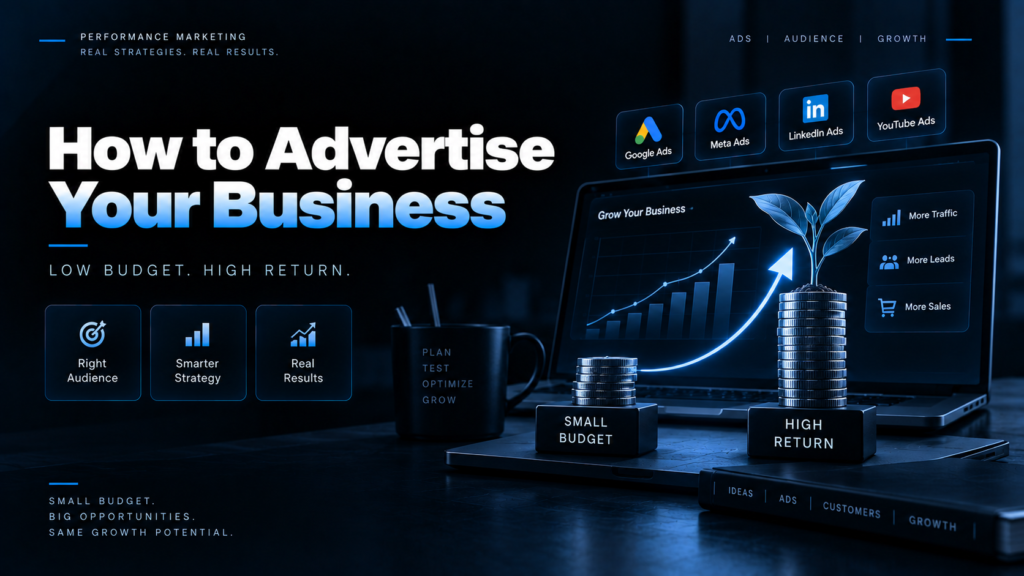
Here’s what I tell almost every small business owner who books a call with me: $1,000 a month is plenty to advertise your business properly. It’s not enough to advertise it everywhere. That gap, between “properly” and “everywhere” is exactly where small budgets go to die.
I’m Priyam Jaiswal, and I manage Meta and Google campaigns for businesses in the US, UK, and India. We handle more than INR 4-5 crore in yearly ad spend (close to half a million dollars) at a 3.65x blended return, and plenty of those accounts started smaller than yours.
So if you’re wondering how to advertise your business without lighting money on fire, this is the plan I’d hand you over coffee. No fluff, no “just go viral” nonsense.
Quick answer: To advertise your business on less than $1,000 a month, set up the free basics first (Google Business Profile, conversion tracking, one focused landing page). Then put most of your budget into a single paid channel that matches how customers find you. Pick Google Search if people already search for what you sell, or Meta ads if you need to spark demand. Hold back 10 to 20% for retargeting, give it 30 days, and judge it on cost per lead or sale, not clicks.
How to split $1,000 a month (without spreading it too thin)
The biggest mistake I see? Owners run $200 on Google, $200 on Facebook, $200 on TikTok, $200 on LinkedIn and $200 on “let’s see.” Every platform learns from data, and $200 isn’t enough data for any of them. You end up with five half-trained campaigns and zero answers.
Pick one main channel. Give it the lion’s share. Here’s roughly how I’d carve it up:
| Business type | Main channel | Second channel | Retargeting | Testing |
|---|---|---|---|---|
| Local service (plumber, dentist, salon) | Google Search: $600 | Local Services Ads or Meta lead ads: $250 | $100 | $50 |
| E-commerce / DTC brand | Meta ads: $600 | Google Shopping or Performance Max: $250 | $100 | $50 |
| B2B or high-ticket service | Google Search: $650 | Meta lead ads: $200 | $100 | $50 |
Why this matters, in plain numbers. The average Google search click in the US now costs $5.42, and the average search ad converts at 8.18% (WordStream, 2026). So $600 buys you about 110 clicks and around 9 leads. Not a flood, but real customers.
Meta works differently. The average US Facebook lead campaign lands leads at $27.39 each (WordStream, 2026). Same $500 there could bring in 15 to 20 leads. Cheaper, yes, but they’re usually colder, so you’ll need a solid follow-up.
Neither is “better.” Google catches people already looking. Meta finds people who didn’t know they needed you yet. Your business decides which one leads.
Step 1: Do the free stuff before you spend a dollar
Running ads for your business without these three things is like pouring water into a bucket with no bottom. Fix the bucket first.
1. Claim and polish your Google Business Profile. It’s free, and for local businesses it’s often the first thing a customer sees. Fill in every field, add real photos, set accurate hours, and ask your happy customers for reviews. A profile with 40 fresh reviews will make every paid click work harder.
2. Set up tracking before launch day. Install Google Analytics 4, the Google Ads conversion tag and the Meta Pixel. If you’re on Meta, turn on the Conversions API too, since browser tracking alone misses a lot these days. Decide what a “conversion” is: a call, a form fill, a booked appointment, a purchase. If you can’t measure it, you can’t improve it. Honestly, you can’t even tell if it’s working.
3. Build one landing page that does one job. Don’t send ad traffic to your homepage. Send it to a page with a single offer, a clear headline, proof (reviews, logos, before-and-after shots), and one obvious button. When I audit accounts that “don’t work,” the ads are fine surprisingly often. The page is the leak.
Step 2: Run Google Search ads like a sniper, not a sprinkler
If people already type what you sell into Google (“emergency plumber near me,” “dog groomer Austin”), Google Search ads are usually the smartest first bet. These folks have their wallet half out.
The catch is price. Clicks are pricey and they vary wildly by industry. According to WordStream’s 2026 benchmarks, a click in Arts and Entertainment averages $1.63, while Attorneys and Legal Services pay $9.87. Home Improvement sits at $8.33. So a lawyer’s $600 goes a lot less far than a restaurant’s.
Here’s how I stretch a small Google budget:
- Set a daily budget of about $20. Google can spend up to 2x that on a busy day, but it won’t charge you more than 30.4 times your daily budget in a month (Google Ads Help). $20 a day keeps you right around $600.
- Start with 10 to 20 tight keywords. Use phrase and exact match. Broad match on a small budget is a fast way to pay for searches you’d never want.
- Add negative keywords on day one. Words like “free,” “jobs,” “DIY” and “salary” drain budgets quietly. Check your search terms report every week and keep adding.
- Shrink your map. Target only the ZIP codes or radius you actually serve. Showing ads 60 miles away is a donation, not a strategy.
- Turn off the Display Network on your Search campaign. It’s cheap traffic, and mostly the wrong kind.
- Schedule ads for when you can answer. If leads come by phone and nobody picks up after 6 p.m., pause the ads after 6 p.m.
- Be patient with bidding. Start with Maximize Clicks or manual CPC with a cap, then switch to Maximize Conversions once you’re getting steady conversions.
One more thing. Most changes need a few weeks to settle, so don’t tweak your campaign every morning. Review weekly, adjust monthly. Your sanity will thank you.
Step 3: Use Facebook and Instagram ads to create demand
Not everyone searches for what you sell. Nobody googles “handmade candles that smell like my grandma’s kitchen.” But show them the right video on Instagram and suddenly they need three.
That’s where Meta shines, and it’s easier on your wallet. In WordStream’s 2026 Facebook benchmarks, traffic campaigns averaged $0.60 per click and lead campaigns averaged $27.39 per lead. Google’s average click costs more than double what Meta’s does. The same report found over 90% of small businesses they surveyed use Facebook for marketing, so yes, your competitors are already there.
How I set up Meta ads for your business on a tight budget:
- Keep the structure boring. One campaign, one ad set, three to five ads. More ad sets just split an already small budget into even smaller, dumber pieces.
- Let your creative do the targeting. Broad audiences work well now, as long as your ad clearly calls out who it’s for. “Dallas homeowners with a leaky roof” in the first line does more than any interest setting.
- Pick the right goal for your budget. Meta’s algorithm needs regular conversions to learn. If you only get two sales a week, optimize for something that happens more often, like add-to-cart or a lead, until volume picks up.
- Use Instant Forms for lead gen, with a filter. Add one or two qualifying questions. You’ll get fewer leads, but far fewer tire-kickers.
- Lead with video. Shoot it on your phone. A real owner talking for 20 seconds usually beats a polished stock-footage ad. I’ve seen it happen more times than I can count.
- Treat Advantage+ settings like a buffet, not a set menu. Turn on the ones that help, switch off the ones that mess with your brand.
Quick heads up for real estate, lending and hiring: US ads in these areas fall under Meta’s Special Ad Categories, which limit how you can target by age, gender and ZIP code. Plan your creative around that from the start.
Step 4: Try the cheaper channels most owners ignore
Google and Meta get all the attention. A few quieter options can punch way above their price, especially for local businesses.
Local Services Ads (pay per lead, not per click)
If you’re a plumber, electrician, cleaner, roofer or similar, this one’s worth a serious look. Local Services Ads show up at the very top of Google, and you pay for real leads like calls and messages instead of clicks.
Big 2026 update: Google is moving these ads into the main Google Ads platform as a special Performance Max campaign with pay-per-lead goals. The first wave started in August 2026 for select US home services like plumbing, HVAC, electrical and roofing. Broader groups follow in late 2026 (Google Ads Help). You still pay per lead, and eligible businesses get a Google Verified badge. Manual max-per-lead bidding is going away, though, so keep a closer eye on your cost per lead.
Prices swing a lot by trade and city. One agency’s FAQ puts plumbing leads around $20 to $60 and HVAC around $25 to $75. Your ranking leans heavily on reviews, response speed and how close you are, so answer every lead fast. Like, really fast.
Microsoft Ads
Bing isn’t cool. That’s kind of the point. Fewer advertisers bid there, clicks are often cheaper, and the audience skews older and more desktop-heavy. You can import your Google campaigns in a few clicks, so testing it costs you about an afternoon.
Nextdoor ads
For neighborhood businesses (landscapers, pet sitters, local cafes), Nextdoor puts you in front of people who literally live down the street. It’s a good fit for trust-driven, word-of-mouth style services.
The free-ish stuff that makes paid ads work harder
Email your past customers. Ask for reviews after every job. Partner with a business that serves the same crowd (a realtor and a moving company, say). None of this is glamorous, but each one lowers what you pay to win a new customer.
Step 5: Retarget the people who almost bought
Most people won’t buy on their first visit. They’ll check your prices, get distracted by a text from their mom, and vanish. Retargeting is how you tap them on the shoulder a few days later.
With $100 a month, keep it simple:
- Show ads to website visitors from the last 30 days on Facebook and Instagram.
- Use a different message than your first ad. Try a review, a quick FAQ video, or a small time-limited offer.
- Exclude anyone who already bought or booked. Nobody likes being chased for something they already paid for.
Retargeting audiences are small, so the cost stays low. It’s often the highest-return slice of a small budget.
The mistakes that quietly eat small budgets
I audit a lot of accounts. These show up again and again:
- Boosting posts and calling it a strategy. The Boost button is convenient, but it gives you very little control. Use Ads Manager instead.
- Judging results after five days. Algorithms need time and data. Give a campaign about 30 days before you pull the plug.
- Running the same ad for three months. People get tired of seeing it, and your costs creep up. Refresh creative every three to six weeks.
- No tracking, only vibes. “I think the phone rang more” isn’t a metric.
- Chasing cheap clicks. A $0.40 click that never converts is more expensive than a $6 click that becomes a $900 job.
- Slow follow-up. If a lead waits a day for your reply, they’ve probably already called your competitor. Speed wins more deals than any ad tweak.
Step 6: Know if your ads are actually working
Clicks and likes feel nice. They don’t pay rent. Watch these three numbers instead:
| Metric | What it tells you | How to calculate it |
|---|---|---|
| Cost per lead (CPL) | What you pay for each inquiry | Ad spend ÷ leads |
| Customer acquisition cost (CAC) | What you pay for each paying customer | Ad spend ÷ new customers |
| Return on ad spend (ROAS) | Revenue for every $1 in ads | Ad revenue ÷ ad spend |
Here’s a quick sanity check I use with clients. Work out your break-even ROAS: divide 1 by your profit margin. If you keep 40% of every sale, your break-even ROAS is 2.5x. Anything above that is profit. Anything below is you paying customers to shop with you.
For lead-based businesses, flip it around. Say your average job is worth $1,200, you keep half as profit, and you close one in four leads. Each lead is worth about $150 in profit to you, so anything under $150 per lead makes money. Suddenly that $66.69 average Google lead looks pretty great.
Check these weekly. Make changes monthly. And when something works, don’t get bored of it. Scale it.
FAQs
How can I advertise my business with little money?
Start with free tools like Google Business Profile and customer reviews. Then spend on one paid channel that fits how your customers shop. Google Search suits businesses people already search for. Meta ads suit products people discover while scrolling. Even $20 a day is enough to start learning what works.
Is $1,000 a month enough for Google Ads?
Yes, for most local and niche businesses. With the 2026 US average click at $5.42, $1,000 buys roughly 180 search clicks. Keep keywords tight, target only the areas you serve, and add negative keywords to avoid waste.
Are Facebook ads cheaper than Google Ads?
Usually, per click. In 2026 WordStream data, Facebook traffic campaigns averaged $0.60 per click, while Google Search averaged $5.42. Google traffic tends to carry stronger buying intent, though, so compare cost per customer, not cost per click.
What’s the best way to advertise a local business?
Combine a strong Google Business Profile with Google Search ads or Local Services Ads if you’re a service business. Add Meta ads targeted to your service area and retarget recent website visitors.
How long should I run ads before judging results?
Give each campaign around 30 days. Platforms need time and conversion data to optimize, and early numbers are often noisy.
Should I hire someone to run ads for my business?
If you have time to learn and check your account weekly, DIY can work at this budget. If you don’t, a freelancer or small agency that works with smaller budgets can save you from expensive trial and error. Just ask them to show real results and explain their fees upfront.
The bottom line
Learning how to advertise your business on a small budget really comes down to focus. Fix your foundations for free. Pick one channel that matches how customers find you. Keep a little back for retargeting. Measure what matters, and be patient enough to let the data talk.
You don’t need a Fortune 500 budget. You need a plan and the discipline to stick with it for more than a week.
Want a second pair of eyes? I offer a free ad account teardown for US business owners. Send me your Google or Meta account, and I’ll show you where your money’s leaking and what I’d fix first. No pitch deck, no pressure. Grab a slot here.